
A released purchase order in ERP can be converted into an inbound delivery and transferred to Axacon WMS.
The transfer can be started manually or by a scheduled task.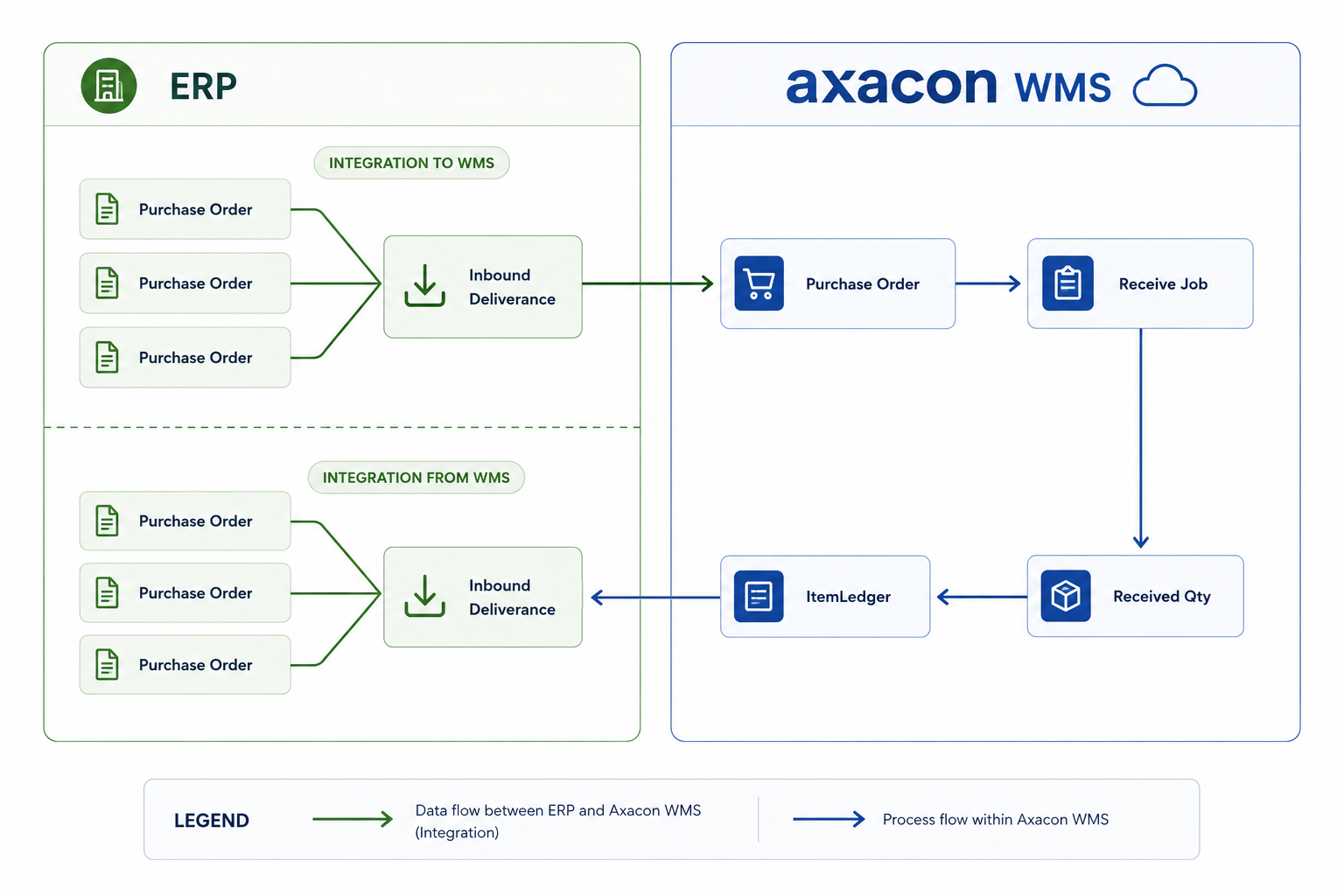
Recommended integration sequence
- Zip code
- Supplier
- Purchase order
- Purchase-order lines
Create the zip code
POST https://[SERVER]/integration/rest/V1/ZipCode{
"Id": "0010",
"City": "Oslo"
}Create the supplier
POST https://[SERVER]/integration/rest/V1/Supplier{
"Id": "47586622",
"Name": "Monabekken Barnesenger A/S",
"Address1": "Østensjøveien 27",
"Address2": "",
"City": "Oslo",
"ZipCode": "0010",
"Country": "NO"
}Create the inbound delivery
POST https://[SERVER]/integration/rest/V1/PurchaseOrder{
"Id": "6003",
"PurchaseOrderTypeId": "RECEPTION",
"Supplier": "47586622",
"OrderName": "Monabekken Barnesenger A/S",
"Name": "Monabekken Barnesenger A/S",
"Address1": "Østensjøveien 27",
"Address2": "",
"City": "Oslo",
"Country": "NO",
"PurchaseOrderLine": [
{
"Id": "6003-10000",
"PurchaseOrderId": "6003",
"ItemId": "1964-S",
"Qty": "110"
},
{
"Id": "6003-20000",
"PurchaseOrderId": "6003",
"ItemId": "1968-S",
"Qty": "110"
}
]
}When can an inbound delivery be updated?
An inbound delivery can normally be changed while its purchase order has not been started in Axacon WMS.
Once the first purchase-order line has been received, contact the warehouse before making changes.